
Article · November 2026
Digital sensors in a lesson: moving from a ready graph to investigation
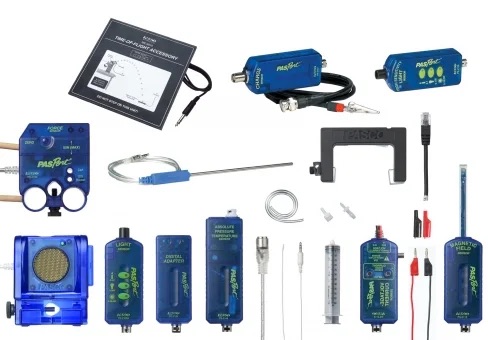
The sensor is connected, the graph has appeared — what next. How to structure a lesson in four steps and what to consider when choosing sensors.
Situation
The school received wireless sensors. In the lesson the teacher connects a sensor, a graph appears on the screen — and that is where the work ends. Students see a nice curve but ask no questions and draw no conclusions. The sensor replaced a thermometer, but the lesson did not become an investigation.
A lesson in four steps
- Prediction. Before measuring, students sketch the expected graph and explain its shape.
- Measurement. Groups collect data, changing one condition.
- Analysis. They compare the real graph with the prediction, calculate the slope and choose a section for calculation.
- Conclusion and a new question. They explain discrepancies and propose the next experiment.
The software should let you not only look at a graph but also analyse it. For example, PASCO’s SPARKvue offers statistics for a selected section (minimum, maximum, mean, standard deviation), tangent slope, area under the curve, linear fit and 10 curve types for fitting. Data can be exported to CSV and, in Shared Sessions mode, shared with the class. SPARKvue runs on Windows, macOS, Chromebook, iPad, iPhone and Android.
What to consider when choosing sensors
- Which activities from the curriculum you will run. Make a list and choose sensors for it, not the other way round.
- How many sensors each group needs and how many groups work at the same time.
- On what devices at the school the software will run.
- How to charge and store the sensors and who is responsible for them between lessons.
- Whether ready-made lab activities exist. For example, for SPARKvue more than 80 interactive SPARKlab activities are available.
Limitations
- Sensor accuracy is limited. If the difference between experiments is smaller than the error, no conclusion can be drawn — this too is an important result for discussion.
- The recording rate is limited. Fast processes require sensors with a higher rate.
- When a class has many wireless sensors they are connected by device number. Label the sensors in advance.
- Check in which language the manufacturer’s ready-made activities are available: they may need adapting to the curriculum and the language of instruction.