
Article · November 2026
How to Choose Robotics Kits for Years of Learning
You buy a kit to use for years, but manufacturers’ product ranges change. What should you ask before purchasing so you do not have to start over two years later?
In September students assemble their first model. By December they confidently start the motors. By spring the teacher has to look for new tasks because the ready-made instructions have run out. For the next school year the school discusses buying equipment again.
To avoid this scenario it helps to evaluate a set through the development of learning tasks. What will a child be able to investigate, change and explain in the second year? What opportunities will a strong group get? How much preparation will the teacher need?
A set with a multi-year outlook lets you make tasks harder as students grow. The number of parts alone does not determine this outlook.
First decide how the lessons will run
A lesson for the whole class, a club and preparing a competition team require different organisation.
In a lesson what matters is a clear start, quick connection, time for independent work and the chance to finish without rushing. A club has more room for long projects. A competition team adds the requirements of a specific contest: permitted components, the field, regulations and preparation deadlines.
So before choosing equipment, record the students’ age, the group size, the lesson length and the expected result.
The wording “develop robotics” is too broad for a purchase. The wording “hold weekly lessons for two sixth-grade classes in which students design mechanisms, use sensors and test algorithms” already helps compare solutions.
If the equipment is bought for competitions, compatibility must be checked against the organiser’s current rules for the relevant season.
Ask to see one task at three levels of difficulty
A convenient way to check a set’s potential is to look at how one project develops. Take a teaching model of a sorter.
| Level | Student’s task | What is required from the platform |
|---|---|---|
| First introduction | Build a mechanism and program the movement of an object | Accessible connections, a controllable drive, a clear programming environment |
| Working with conditions | Determine an object’s feature and choose an action | A suitable sensor, reading its values, conditional constructs |
| Engineering investigation | Compare mechanism variants, reduce the number of errors and justify the changes | The ability to rebuild, access to data and program parameters |
This is an example of how a task can develop, not a universal programme by year. The pace depends on the group’s age, timetable and preparation.
At the demonstration ask to change the original condition: use an object of a different size, move the sensor or raise the accuracy requirement. This will make clear how many independent decisions the platform allows and what limitations the teacher will face.
Check what a student can change independently
For long-term teaching a reserve of capabilities in three areas is useful.
Construction. Can the geometry, mounts, motion transmission and sensor positions be changed? Are there enough parts for several variants of one mechanism?
Programming. Does the environment support sequences, loops, conditions, variables and working with data at the required level? Is there a way to keep the program clear as it grows more complex?
Investigation. Can the student see the sensor reading, compare several runs, save the result or at least write it into a table?
Moving to text-based programming makes sense if the curriculum provides for it. The mere mention of Python in a product description does not explain what tasks children will solve or whether the teacher is ready to support them.
Count how many children will really be working
Suppose a class has 24 students and the school plans work in threes. Such an organisation needs eight simultaneously available sets. With four sets each team will have six people unless station rotation is planned.
These are different lesson models. In the second case the teacher will need separate tasks, a time allocation and a way to check each child’s contribution.
A team of three also needs organising: the roles of builder, programmer and tester should rotate. Otherwise one student gets a year of practice and the others a year of observation.
When comparing offers, calculate the cost of equipping a specific class and timetable. It includes the sets, suitable computers or tablets, storage, charging, spare parts, licences if any and teacher training.
A low price for a single box may come with extra costs of starting lessons.
Clarify the support period before buying
An educational platform has several lifespans: the physical condition of the parts, the availability of components, app support and compatibility with school devices.
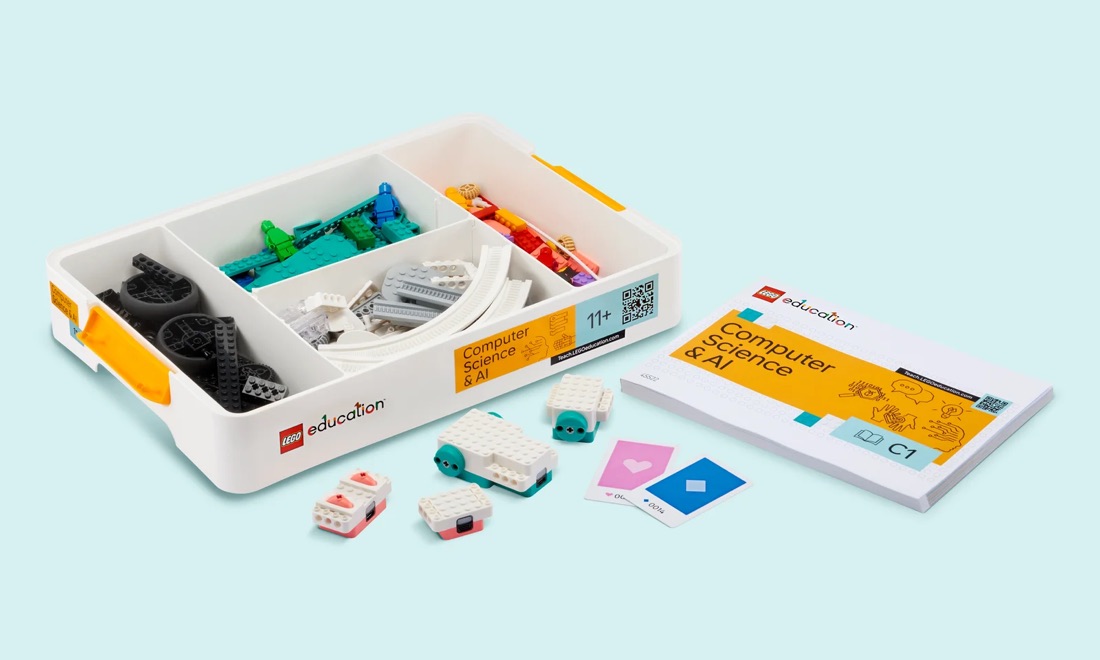
An illustrative example is LEGO Education SPIKE. The manufacturer ended direct sales of the line on 30 June 2026 and announced SPIKE App support until 30 June 2031. The end of sales does not make existing sets useless. However, for a new purchase intended for several years these dates must be considered together with the availability of spare components and the supplier’s terms. LEGO® Education
Before buying, find out whether the internet is required, which operating systems are supported, whether personal accounts and a paid subscription are needed. Check installation and connection on a school device. Working on the supplier’s laptop does not confirm compatibility with a computer lab.
Run a trial lesson with your own teacher
Ask the teacher to run a short part of a lesson: set up the workstation, connect the set, explain the task, change the program and put the equipment away.
Observe how much time the learning task takes and what difficulties arise. It is especially useful to see what happens when a connection fails or a part is lost: can the teacher quickly carry on with the lesson?
After the trial you should get answers to three questions: what results are achievable in the first year, how tasks will become more complex later and what the teacher will need to buy or learn.
A good choice gives the school a clear trajectory: from the first assembled mechanism to an independent project the student can test and defend. It is exactly this trajectory that should be discussed before the equipment list is approved.