
Programming and AI · 9 November 2026
How to teach a model to tell movements apart: AI in LEGO Education lessons
A camera notices movement, a program determines its class, a model performs an action. We look at how data, an algorithm and a structure are connected.
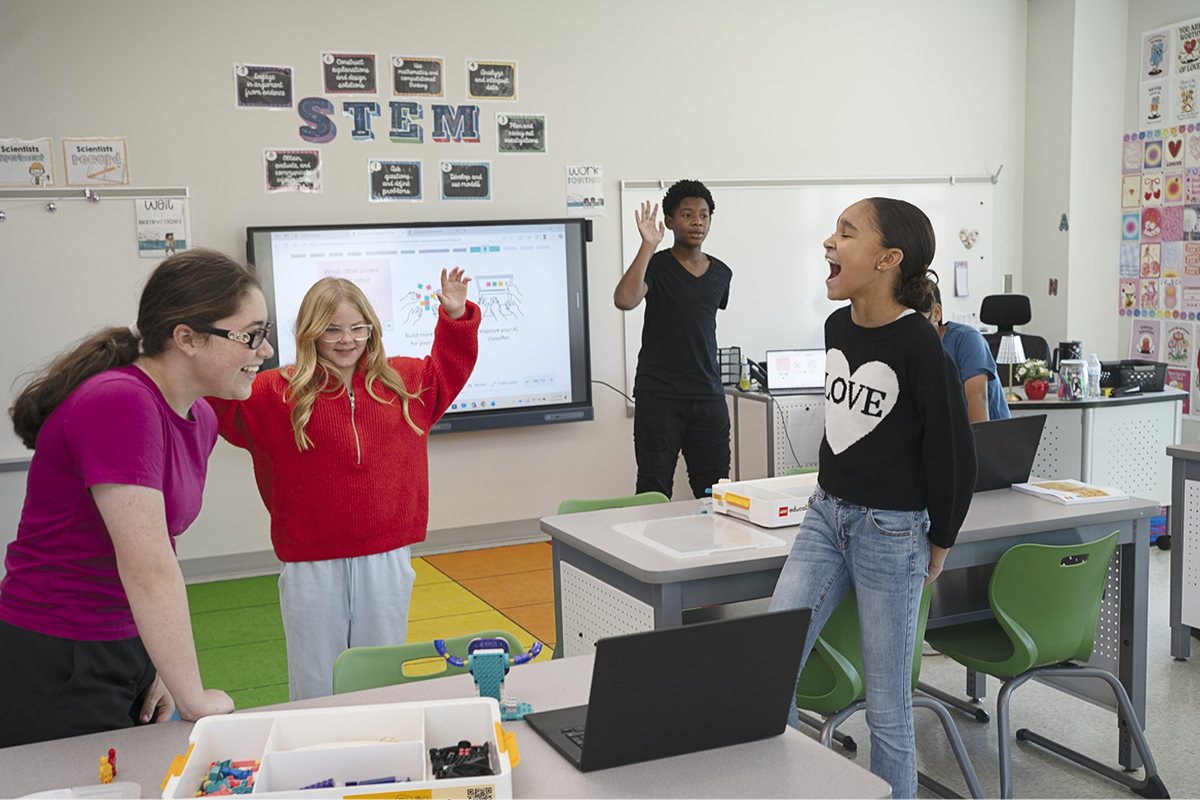
A student raises a hand and the assembled model starts to move. They change pose and the action changes. Behind such a brief interaction are several processes: the camera captures an image, the system determines the positions of body parts, and the program uses this data to choose an action.
This scenario helps explain AI to school students through an observable task. A student can link their own movement to data and see how it takes part in the work of the construction they built.
What the computer gets from movement
A person perceives a pose as a whole. For a computer system it can be represented as a set of coordinates of characteristic body points. These points describe the positions of shoulders, elbows, wrists and other body parts within the capabilities of the chosen technology.
Such a representation can be handled as data. For example, you can compare the relative positions of points or determine which of the studied options a new observation is closest to.
The LEGO Education Computer Science & AI materials describe computer vision scenarios and work with pose data. This gives a clear basis for an introduction to classification: the system assigns input data to a certain category.
Where a rule ends and a model begins
For explanation it is useful to consider two approaches. In the first, the programmer sets the condition personally: if the chosen coordinate satisfies the rule, perform the action. In the second, example data is used to build a classification.
Both approaches can be discussed on one clear task. What information does the program need to tell two arm positions apart? Is one feature enough? What happens if the person turns sideways?
Such questions reveal how the technology works better than the general phrase “the computer understands a person”. Students examine a concrete input, the way it is processed and the observable result.
Why examples should differ
Imagine a learning project with two classes of movements. If all examples of one class are recorded almost identically, the system gets a limited idea of the possible variants.
For discussion you can propose a thought experiment: in one case a person stands close to the camera, in the other further away. The pose is similar but the image has changed. Which features must be kept to tell movements apart in the sense of the task?
In practical work the conditions and available operations are determined by the chosen application. The question itself, however, is universal: what data was used and how similar is the new situation to the examples the system worked with?
How to link recognition to a physical model
In an educational project the classification result can become an event for the program. Then familiar concepts come in: conditions, sequences of actions and repetitions.
For example, you can design a mechanical figure that performs different movements in response to different input signals. One team member is responsible for the construction, another for the link between event and action, a third for checking the scenario.
This brings programming, data processing and mechanics together in one project. Students see the whole chain: from movement in front of the camera to the rotation of a motor in the model. A specific variant is assembled within the capabilities of the set and the programming environment.
What can be discussed after launch
Not only a successful trigger is of interest. You can compare operation at different positions of the person, discuss ambiguous examples and see how clearly the chosen classes are separated.
Instead of the general question “does the AI work well” a concrete one appears: does the system distinguish exactly the movements needed for the project? This approach helps build a habit of testing a technology under the conditions of its use.
To get acquainted with AI there is no need to move straight to the complex mathematics of neural networks. You can start with an accessible link between data and decision, gradually adding new concepts as the class becomes ready.
How this relates to school computer science
LEGO Education Computer Science & AI combines work with physical models, programming and data topics. Depending on the age level, students get to know different elements of programming logic.
For a school classroom this approach is interesting because it can link several topics in one observable action. Conditions cease to be only a construct in a code editor: the behaviour of an object on the desk depends on whether they are met.
See the Kerneu Group educational solutions and LEGO Education catalogues, to learn about equipment for programming and STEM lessons in Kazakhstan.